

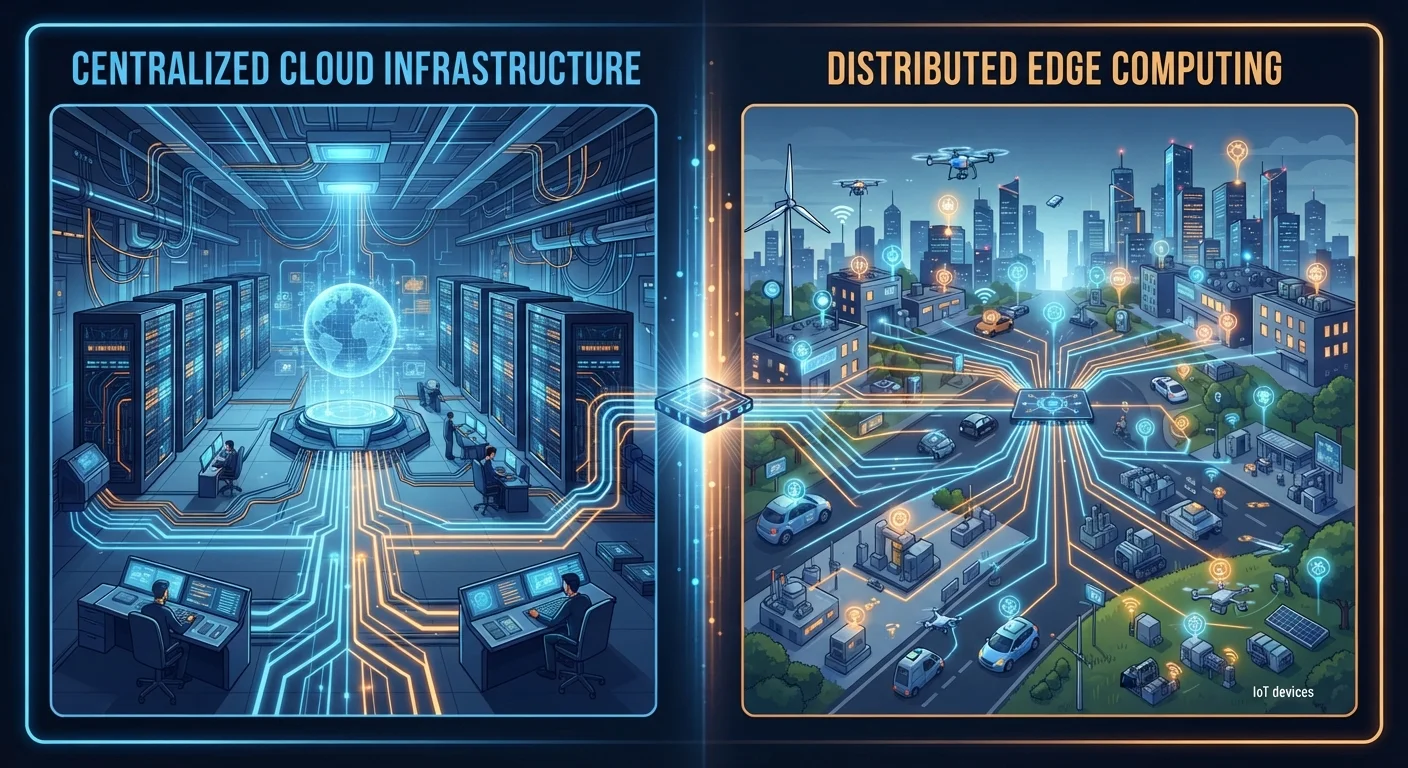
Option A
Cloud Computing
The established, centralized data powerhouse.
Best for: Organizations and consumers who need massive storage capacity, powerful remote processing, and access to data from any device anywhere in the world.
Option B
Edge Computing
The distributed, low-latency alternative built for real-time demands.
Best for: Applications that require near-instant responses, operate in environments with limited connectivity, or involve sensitive data that should not travel to remote servers.
What Each Approach Actually Does
For most of the past decade, cloud computing has been the default answer to almost every data challenge. When you ask a voice assistant a question, back up your photos, or stream a playlist, your device sends data across the internet to a remote data center — potentially hundreds or thousands of miles away — where powerful servers process the request and send a response back. The cloud made previously unimaginable storage and compute capacity accessible to anyone with an internet connection.
Edge computing takes a fundamentally different approach: instead of shipping data to a distant server, processing happens at or near the point where data is generated — on the device itself, on a local router, or on a small server at the nearest cell tower or office building. The term "edge" refers to this proximity to the network's outer boundary, as far from the centralized cloud as possible while still connected to a broader system.
Think of it this way: cloud computing is like mailing a letter to a specialist across the country and waiting for a reply. Edge computing is like having that specialist available in the same room. Understanding where your data lives is a useful foundation for grasping why this distinction matters in practice.
| Criterion | Cloud Computing | Edge Computing |
|---|---|---|
| Where processing happens | Remote data centers | On or near the source device |
| Latency | Higher (round-trip to server) | Very low (local processing) |
| Internet dependency | Requires stable connection | Can work with limited connectivity |
| Storage capacity | Effectively unlimited | Limited by local hardware |
| Privacy risk | Data transmitted to third-party servers | Data may stay on-device or local |
| Scalability | Highly scalable on demand | Limited by distributed hardware |
| Typical use cases | File storage, streaming, SaaS apps | Autonomous vehicles, IoT sensors, real-time monitoring |
Why Edge Computing Is Gaining Ground Now
The shift is driven largely by the sheer volume of connected devices flooding the internet. Smartwatches, industrial sensors, traffic cameras, medical monitors, and autonomous vehicles all generate continuous streams of data. Routing all of that to a centralized cloud creates two compounding problems: latency (the delay introduced by the round-trip journey) and bandwidth strain (the cost and infrastructure required to move massive data volumes constantly).
Latency becomes life-critical in certain contexts. A self-driving vehicle making a split-second braking decision cannot afford a 100-millisecond round-trip to a distant server. Similarly, a robotic arm on a factory floor or a remote patient monitor in a hospital needs near-instant processing that cloud round-trips cannot reliably guarantee. Edge computing addresses this directly by keeping the decision-making local.
75%
Enterprise data processed outside the cloud by 2025
Gartner projected that by 2025, roughly 75% of enterprise-generated data would be created and processed outside traditional centralized data centers — up from around 10% in 2018.
15 billion+
Connected IoT devices worldwide
Industry analysts estimate the global installed base of Internet of Things connected devices has surpassed 15 billion, each a potential source of edge-processed data.
Privacy is another factor. When data is processed at the edge, sensitive information — a medical reading, a security camera feed, a financial transaction — may never need to leave a building or a device. This is a meaningful consideration for anyone tracking their online data trail and thinking about where personal information ends up.
Cloud and Edge: More Complementary Than Competitive
Despite the framing of a competition, most real-world deployments use cloud and edge computing together in layered architectures. A smart home security camera might process motion detection locally at the edge, then send only flagged clips — rather than continuous raw footage — to cloud storage for long-term archiving. A retailer's in-store kiosk might handle transactions locally but sync inventory data to a central cloud database overnight.
This hybrid model lets engineers assign workloads to whichever layer handles them most efficiently. Time-sensitive tasks go to the edge; storage-intensive or computationally heavy analysis that can tolerate delay goes to the cloud. The result is a more efficient, resilient system than either approach alone could achieve.
Edge computing also intersects with other emerging hardware and software trends. The specialized chips being developed for on-device AI inference — explored in our overview of hardware frontiers worth watching — are specifically designed to enable edge processing without consuming excessive power. Meanwhile, spatial computing experiences that blend digital and physical environments, as described in our piece on spatial computing, depend on low-latency local processing to feel seamless and responsive.
The cloud-first era is not ending so much as evolving. What's changing is the assumption that the cloud is always the first and only answer — and that shift has real consequences for device design, data privacy, and the way everyday technology works for ordinary users.
Edge Computing Is Not the Same as Local Storage
Edge computing is often confused with simply storing files on a local hard drive. They are related but distinct concepts. Local storage means keeping files on a device; edge computing refers to running active processing and computation at a network's physical periphery — which could include local devices, nearby gateways, or micro data centers. A smart speaker that processes voice commands on-device is doing edge computing, not just local storage.
The content on this site is for informational purposes only and is not a substitute for professional advice. Always consult a qualified professional for guidance specific to your situation.